Govee vs Philips Hue for Gaming: Which Smart Lights Win in 2026?
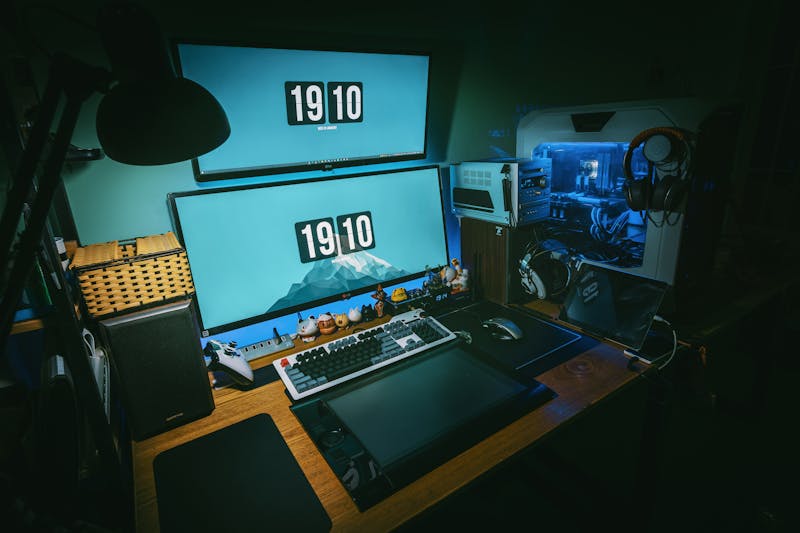
If you're building a gaming setup, ambient lighting isn't just decoration - it's part of the experience. Reactive lights that sync with your gameplay, bias lighting behind your monitor, and RGB strips that match your setup's color scheme all contribute to immersion.
And when it comes to smart lighting for gaming, the conversation always comes down to two brands: Govee vs Philips Hue.
One is the budget-friendly disruptor. The other is the established premium player. Both have passionate fanbases, and both have made massive strides in 2026. But which one actually deserves a spot in your gaming room?
After deep-diving into both ecosystems — comparing specs, analyzing hundreds of user reviews, and studying expert teardowns — here's an honest, in-depth comparison covering LED strips, light bars, bulbs, and ambient panels to help you pick the best smart lights for gaming.
Quick Comparison: Govee vs Philips Hue
| Feature | Govee | Philips Hue |
|---|---|---|
| Price Range | $ - $ | $$ - $$ |
| Hub Required | No (Wi-Fi/Bluetooth) | Yes (Hue Bridge) |
| Color Accuracy | Good (16M colors) | Excellent (16M colors, richer tones) |
| Game Sync | Govee DreamView (camera-based) | Hue Sync Box (HDMI passthrough) |
| PC Game Sync | Govee Desktop app (screen capture) | Hue Sync Desktop app (screen capture) |
| Smart Home Integration | Alexa, Google Home | Alexa, Google Home, Apple HomeKit, Matter |
| Product Range | Massive (strips, bars, panels, bulbs, outdoor) | Large (strips, bars, bulbs, panels, outdoor) |
| App Quality | Good, improving | Excellent, mature |
| Max Devices per Setup | Unlimited (Wi-Fi) | 50 per Bridge |
| Music Sync | Built-in mic on devices | Via Hue Sync app or Spotify integration |
| Warranty | 1-2 years | 2 years |
| Best For | Budget setups, experimentation | Premium setups, smart home integration |
Price: Govee Wins Decisively
Let's address the elephant in the room. Govee is dramatically cheaper than Philips Hue - and that's not an exaggeration.
A basic Govee LED strip kit for behind your monitor costs $15-25. The equivalent Philips Hue Lightstrip runs $70-80, and that's before you buy the $60 Hue Bridge you need to run it.
Here's a real-world cost comparison for a typical gaming setup:
| Setup Component | Govee Cost | Philips Hue Cost |
|---|---|---|
| Monitor backlight strip | $20 | $80 |
| 2x Desk light bars | $50 | $150 |
| Hub/Bridge | $0 (not needed) | $60 |
| Wall panel (accent) | $70 | $200 |
| Total | ~$140 | ~$490 |
That's roughly a 3.5x price difference for a comparable setup. For gamers on a budget, this alone makes the Govee vs Philips Hue decision pretty straightforward.
However, price isn't everything. Let's see what that premium actually buys you.
Check Govee Prices on Amazon →
Check Philips Hue Prices on Amazon →
Color Quality & Brightness: Hue Has the Edge
Both systems advertise 16 million colors, but not all 16 million are created equal.
Philips Hue produces noticeably richer, more saturated colors - especially in the greens and deep blues. The white tones are also superior, with a wider range from warm candlelight (2000K) to cool daylight (6500K). If you care about accurate color reproduction or want your lights to precisely match a hex code, Hue delivers.
Govee has improved significantly in recent generations. The latest Govee RGBIC strips produce vibrant colors that look great in practice. Side by side with Hue, you'll notice slightly less saturation in certain color ranges and whites that lean slightly cooler, but in a dimmed gaming room? The difference is subtle.
For gaming specifically, where you're mostly using saturated purples, blues, reds, and greens, Govee looks fantastic. You'd be hard-pressed to tell the difference in a photo. The gap only becomes obvious with soft pastels and precise whites.
Winner: Philips Hue - but the margin is narrower than the price gap suggests.
Game Sync: The Feature Gamers Care About Most
This is where the best smart lights for gaming conversation gets interesting. Both brands offer game synchronization, but they work very differently.
Govee DreamView (Camera-Based Sync)
Govee's approach uses a small camera that sits on top of your monitor, reads the screen colors in real-time, and sends commands to your Govee lights. The DreamView system works with:
- Any content on your screen (games, movies, YouTube)
- No HDMI passthrough needed
- PC and console gaming
- Multiple light zones mapped to screen regions
In practice: DreamView works surprisingly well. There's about 100-150ms of latency, which means lights react just slightly after the screen changes. For atmospheric games, RPGs, and cinematic experiences, it's immersive and delightful. For fast-paced FPS games, the slight delay is noticeable but not deal-breaking.
The camera-based approach has a key advantage: it works with any input source without any additional hardware.
Philips Hue Sync Box (HDMI Passthrough)
Hue's game sync requires the Hue Play HDMI Sync Box ($300 - yes, really). This device sits between your source and display, analyzing the HDMI signal directly for faster, more accurate color matching.
In practice: The Sync Box delivers noticeably lower latency (~50-80ms) and more accurate color zones than Govee's camera approach. It supports 4K 120Hz HDR passthrough, so there's no quality loss. The light reactions feel tighter and more connected to what's happening on screen.
The downside? That $300 price tag is steep - and it only works with HDMI sources. PC gamers can alternatively use the free Hue Sync Desktop app, which captures your screen similar to Govee's approach but with tighter integration with Hue's ecosystem.
PC-Specific Game Sync
For PC gamers, both offer desktop screen-capture apps:
- Govee Desktop - Free, captures screen, maps to light zones. Works well with a similar ~100ms latency.
- Hue Sync Desktop - Free, captures screen, slightly lower latency, integrates with Razer Chroma and other gaming ecosystems.
Hue Sync Desktop also supports Spotify integration, automatically matching your lights to album art colors during music playback. It's a small feature that adds surprising ambiance.
Winner: Philips Hue for raw sync quality and latency. Govee for value and simplicity (no $300 box needed for console gaming).
Smart Home Ecosystem: Hue Dominates
If your gaming room is part of a larger smart home, this category matters a lot.
Philips Hue supports:
- Amazon Alexa
- Google Home
- Apple HomeKit
- Samsung SmartThings
- Matter (the new universal standard)
- IFTTT
- Home Assistant (excellent integration)
- Razer Chroma
- Native Spotify sync
Govee supports:
- Amazon Alexa
- Google Home
- IFTTT (limited)
- Home Assistant (community integration, improving)
The gap is significant. Hue's Apple HomeKit support alone is a deciding factor for anyone in the Apple ecosystem. And Matter support means Hue is future-proofed for whatever smart home standard emerges next.
Hue also plays nicer with automation. Want your gaming lights to turn on automatically when your PC starts? Easy with HomeKit/SmartThings automation. Want your lights to shift to a warm tone at 11 PM? Hue's scheduling is more robust and reliable.
Govee is catching up - they've announced Matter support for select devices - but the ecosystem depth isn't there yet. If you just want lights that respond to voice commands, Govee is fine. If you want deep smart home integration, Hue wins.
Winner: Philips Hue - and it's not close.
Ease of Setup: Govee Is Simpler
Setting up Govee is dead simple:
- Plug in the lights
- Download the Govee Home app
- Connect via Bluetooth, then Wi-Fi
- Done
No hub, no bridge, no extra hardware. Five minutes from box to lights-on.
Philips Hue requires:
- Plug in the Hue Bridge and connect to your router via Ethernet
- Download the Hue app
- Pair each light to the Bridge
- Configure rooms and zones
- Set up Hue Sync if you want game sync
It's not difficult, but there are more steps and the Bridge requirement means you need an Ethernet port near your router. For a gaming room that might be upstairs or in a different part of the house, this can be inconvenient.
Winner: Govee - plug and play beats plug, bridge, and play.
Product Range for Gaming Setups
Both brands offer products specifically designed for gaming. Here are the key categories:
LED Light Strips (Behind Monitor/Desk)
| Product | Price | Highlights |
|---|---|---|
| Govee RGBIC Pro Strip | $25 | Segmented color zones, adhesive back |
| Govee M1 Strip | $50 | Matter-ready, premium LED density |
| Hue Lightstrip Plus | $80 | Rich colors, Hue ecosystem |
| Hue Gradient Lightstrip | $170 | Multi-color gradient per strip |
Govee's RGBIC technology (segmented multi-color on a single strip) is a major advantage here. A single Govee RGBIC strip can display multiple colors simultaneously, while a standard Hue Lightstrip shows only one color across its entire length. Hue's Gradient Lightstrip matches this capability but at a significant premium.
Light Bars (Desk Accent)
| Product | Price | Highlights |
|---|---|---|
| Govee Flow Pro Light Bars | $70/pair | Camera sync, RGBIC |
| Govee Glide Wall Light | $90 | Modular segments, music reactive |
| Hue Play Light Bar | $130/pair | Compact, Hue ecosystem |
| Hue Gradient Signe | $200 | Floor/table lamp, gradient effect |
Govee's Flow Pro bars include a built-in camera for screen sync - effectively giving you DreamView functionality without a separate camera. Great value for gaming.
Wall Panels (Accent Lighting)
| Product | Price | Highlights |
|---|---|---|
| Govee Glide Hexa Panels | $100 (10-pack) | Hexagonal, music reactive |
| Govee Curtain Lights | $120 | Unique look, programmable patterns |
| Hue Gradient Signe | $200 | Elegant gradient lamp |
| Nanoleaf Panels | $200+ | (Third-party but worth mentioning) |
For wall-mounted accent panels, Govee offers more variety at lower prices. Their hexagonal panels have become iconic in gaming setups on Reddit and YouTube.
Reliability & Software Quality
Govee Home App
The Govee app has improved dramatically but still has quirks. Bluetooth pairing can be finicky, and the app occasionally loses connection to devices. The DIY scene editor is powerful but has a learning curve. Firmware updates sometimes reset custom scenes.
Philips Hue App
The Hue app is polished, stable, and mature. Device management is straightforward, scenes are easy to create, and connectivity through the Bridge is rock-solid. The Bridge's Zigbee protocol is more reliable than Govee's Wi-Fi/Bluetooth approach, especially in setups with many devices.
Long-term reliability is where Hue truly justifies its premium. Hue lights rarely disconnect, respond consistently, and the Bridge handles dozens of devices without breaking a sweat. Govee can occasionally lag or drop connection, especially with 5+ devices on the same Wi-Fi network.
Winner: Philips Hue - mature software and Zigbee reliability edge out Wi-Fi-based Govee.
Music & Entertainment Sync
Both systems react to music, but differently:
Govee: Built-in microphone on many devices listens to ambient sound and pulses lights to the beat. Works with any audio source but accuracy depends on room acoustics and volume. It's fun, but not perfectly rhythmic.
Philips Hue: The Sync app analyzes system audio directly (on PC) for more accurate beat matching. Native Spotify integration matches light colors to album art and energy. The Hue Entertainment area feature provides low-latency multi-light synchronization.
For music-reactive gaming setups, Hue's direct audio analysis is noticeably more accurate and responsive than Govee's microphone approach.
Winner: Philips Hue
Who Should Buy Govee?
Govee is the best smart lights for gaming if you:
- Are on a budget (under $150 for full setup)
- Want quick, easy setup without a hub
- Don't need deep smart home integration
- Want RGBIC multi-color strips at an affordable price
- Are experimenting with ambient lighting for the first time
- Game primarily on PC (desktop sync app works great)
- Want the most products and variety to choose from
Best Govee Products for Gaming:
- Govee RGBIC Pro LED Strip - Behind monitor ($25)
- Govee Flow Pro Light Bars - Desk accent with camera sync ($70)
- Govee Glide Hexa Panels - Wall accent ($100)
Check Govee Gaming Bundle on Amazon →
Who Should Buy Philips Hue?
Philips Hue is the best smart lights for gaming if you:
- Want the best color quality and reliability
- Already have or plan a smart home ecosystem
- Use Apple HomeKit or need Matter support
- Want the lowest-latency game sync (with Sync Box)
- Value long-term reliability over upfront cost
- Plan to expand your lighting setup over time
- Want Spotify and Razer Chroma integration
Best Hue Products for Gaming:
- Hue Gradient Lightstrip - Behind monitor with multi-color ($170)
- Hue Play Light Bar (2-pack) - Desk accent ($130)
- Hue Play HDMI Sync Box - Console game sync ($300)
Check Philips Hue Gaming Bundle on Amazon →
The Hybrid Approach: Best of Both Worlds
Here's a secret that both fandoms won't tell you: you can use both.
Seriously. There's no rule that says you must pick one ecosystem. Many gamers run a hybrid setup:
- Govee RGBIC strips behind the monitor and under the desk (great value for bias and accent lighting)
- Philips Hue bulbs in ceiling/lamp fixtures (superior smart home integration for room lighting)
- Govee wall panels for decoration (more variety, lower cost)
The only limitation is that cross-brand sync doesn't work - your Govee and Hue lights won't react to games simultaneously through one app. But for static/scheduled scenes, mixing brands works perfectly.
My Verdict: Which Should You Buy?
After thorough research and comparison, here's my recommendation:
Choose Govee if your budget is under $200.
At this price point, Govee gives you a complete gaming lighting setup that looks incredible. The DreamView camera sync is genuinely impressive for the money, and the RGBIC strips are unmatched at their price. You'll get 90% of the experience at 30% of the cost.
Choose Philips Hue if you want the best and are willing to pay for it.
Hue's color quality, reliability, ecosystem integration, and sync latency are all genuinely superior. If you're building a premium battlestation and plan to integrate lighting into a broader smart home, Hue is the investment that pays off long-term.
Choose Hybrid if you're strategic.
Use Govee where cost-per-LED matters (strips, panels) and Hue where integration matters (room lighting, automation). This gives you the best balance of value and capability.
For most gamers building their first ambient setup, I recommend starting with Govee. The barrier to entry is low, the results are stunning, and you can always add Hue components later as your setup and budget grow. When people ask me about the best smart lights for gaming on a realistic budget, Govee wins.
Frequently Asked Questions
Is Govee as good as Philips Hue?
For pure gaming ambiance, Govee delivers 85-90% of the Hue experience at roughly 30% of the cost. Hue wins on color accuracy, reliability, and smart home integration, but Govee's RGBIC technology and value proposition make it the better choice for budget-conscious gamers.
Can Govee lights sync with games?
Yes. Govee offers two game sync methods: the DreamView camera (which reads your screen and reacts in real-time) and the Govee Desktop app (which captures your PC screen directly). Both work with any game - no developer integration required.
Do I need the Philips Hue Bridge?
Yes, the Hue Bridge is required for all Philips Hue lights. It connects to your router via Ethernet and communicates with lights using the Zigbee protocol. While it's an extra cost and setup step, the Bridge provides more reliable connections than Wi-Fi-based alternatives.
Can I mix Govee and Philips Hue in the same room?
Absolutely. They operate independently - Govee through Wi-Fi/Bluetooth and Hue through the Zigbee Bridge. You can control each through their respective apps. The only limitation is you can't sync both brands to games simultaneously through a single app.
What's the best budget gaming light setup?
A Govee RGBIC LED strip behind your monitor ($20-25) and a pair of Govee Flow Pro light bars on your desk ($70) gives you a fantastic ambient gaming setup for under $100. Add Govee hexagonal wall panels ($100) if you want the full RGB gaming room aesthetic.
Do smart gaming lights increase input lag?
No. Smart lights operate independently of your gaming hardware. Even game-sync features (DreamView, Hue Sync) only read your display output - they don't interfere with the signal path to your monitor. The Hue HDMI Sync Box passes through video with imperceptible latency (under 1ms for the video signal itself).
How long do smart LED lights last?
Both Govee and Philips Hue LEDs are rated for approximately 25,000-50,000 hours of use. At 8 hours per day, that's 8-17 years. You'll likely upgrade for new features long before the LEDs themselves burn out.
Final Thoughts
The Govee vs Philips Hue debate ultimately comes down to budget versus ecosystem. Govee democratized smart gaming lighting by making it affordable and accessible. Philips Hue set the standard for quality and integration that others still chase.
Both are excellent choices for gaming. Neither is wrong. Pick the one that matches your priorities and budget - then enjoy the immersion that great ambient lighting brings to every gaming session.
Got questions about setting up Govee or Hue in your gaming room? Drop a comment below and I'll help you plan the perfect lighting layout.