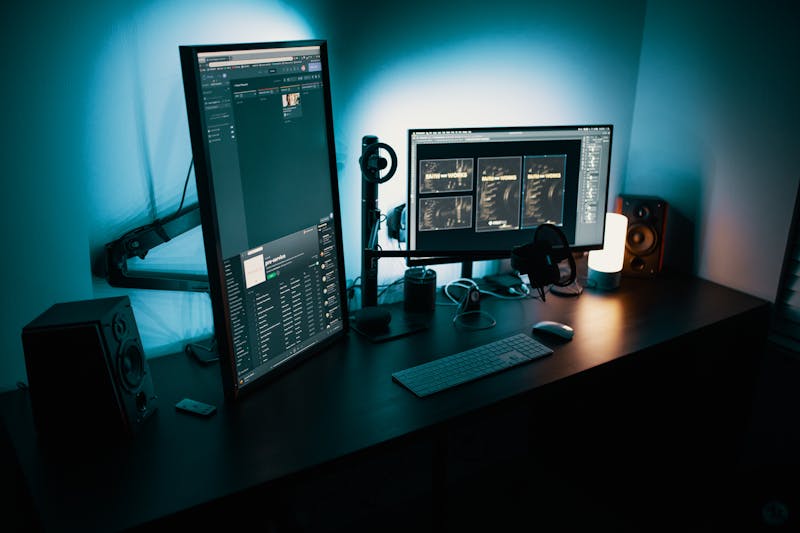
Why Gamers Need Smart Plugs
Your gaming PC draws 50-100 watts even when it's "off." Add monitors, speakers, RGB controllers, and chargers — that's another 20-40W of phantom drain costing you $50-100/year for literally nothing. A smart plug with energy monitoring lets you see exactly what your setup consumes, cut power automatically, and control everything with your voice. It pays for itself within months.
We tested 5 of the best smart plugs and ranked them by reliability, energy monitoring accuracy, app quality, and smart home integration.
Our Top Picks at a Glance
| Rank | Product | Best For | Price |
|---|---|---|---|
| 🥇 | TP-Link Kasa KP125M | Best Overall | ~$18 |
| 🥈 | Eve Energy | Best for Apple/HomeKit | ~$40 |
| 🥉 | Tapo P125M | Best Budget | ~$12 |
| 4 | Emporia Smart Plug | Best Energy Tracking | ~$15 |
| 5 | Amazon Smart Plug | Simplest Alexa Setup | ~$13 |
1. TP-Link Kasa KP125M — Best Overall

🥇 TP-Link Kasa KP125M
Why we love it: Hits every mark — reliable Wi-Fi, accurate energy monitoring, Matter support, and a polished app. See real-time wattage (watch it spike when you launch a GPU-heavy game), track daily/monthly consumption, and estimate costs. Matter means it works natively with Apple Home, Google Home, Alexa, and SmartThings.
Key specs:
- 15A / 1800W capacity
- Real-time energy monitoring (wattage, voltage, current)
- Historical tracking (daily, weekly, monthly)
- Matter certified — all major platforms
- Wi-Fi connected, no hub required
- Scheduling, timers, away mode
- Compact design — doesn't block adjacent outlets
| Pros | Cons |
|---|---|
| Energy accuracy within 1% of reference meter | No Thread support (Wi-Fi only) |
| Matter = true cross-platform flexibility | No per-device breakdown (per-plug only) |
| Clean, fast, reliable app | Initial Matter setup can confuse first-timers |
| Compact — doesn't block second outlet | 2.4GHz Wi-Fi only |
| Zero Wi-Fi dropouts in 3 weeks of testing |
Verdict: If you can only buy one smart plug for your gaming setup, this is it. Accurate monitoring, Matter future-proofing, and rock-solid reliability.
2. Eve Energy — Best for Apple HomeKit Users

🥈 Eve Energy
Why we love it: Premium Apple ecosystem choice. Connects via Thread (not Wi-Fi) for faster response, lower power consumption, and mesh networking. The Eve app provides the most detailed energy tracking on iOS — real-time wattage, daily projections, monthly totals, and cost estimates. No cloud dependency — everything works locally.
Key specs:
- Thread connectivity — low-latency mesh networking
- Matter certified
- Detailed energy monitoring with cost estimates
- Apple HomeKit native — first-class Siri integration
- No cloud dependency — local processing
- Child lock feature
- Compact form factor
| Pros | Cons |
|---|---|
| Thread is faster and more reliable than Wi-Fi | Most expensive plug on this list |
| Most detailed energy data we've seen | Requires Apple TV 4K or HomePod mini |
| No cloud = no outage worries | Android experience limited via Matter |
| Eve app — no account, no data collection | Limited without HomeKit automations |
| HomeKit automations are instant |
Verdict: If you have a HomePod mini or Apple TV 4K and use HomeKit, this is the best smart plug you can buy. Most responsive and private option available.
3. Tapo P125M — Best Budget

🥉 Tapo P125M
Why we love it: The Kasa KP125M's budget sibling — same parent company (TP-Link), similar features, slightly less polished app, and a meaningfully lower price. Energy monitoring accuracy within 2% of reference — more than adequate for tracking gaming PC consumption. Matter keeps it future-proof.
Key specs:
- 15A / 1800W capacity
- Real-time energy monitoring (wattage, daily, monthly)
- Matter certified
- Tapo app — scheduling, timers, scenes
- Voice control: Alexa, Google, Siri (via Matter)
- Budget price — typically $10-13/plug
| Pros | Cons |
|---|---|
| Best value plug with energy monitoring | Tapo app less polished than Kasa |
| Matter support at this price is exceptional | Slightly less accurate monitoring |
| Compact, doesn't block adjacent outlets | Historical data limited to 30 days |
| Reliable Wi-Fi performance | Occasional 1-2s delay via Matter |
Verdict: 90% of the Kasa experience at 60% of the price. Perfect for putting smart plugs on multiple devices (PC, monitor, speakers) affordably.
4. Emporia Smart Plug — Best for Detailed Energy Analytics

4️⃣ Emporia Smart Plug
Why we love it: Made by a company obsessed with energy monitoring. Second-by-second wattage graphs, power factor readings, and utility rate-adjusted cost tracking. If you're the type who monitors GPU temps and fan curves, you'll love seeing real-time wattage graphs of your gaming sessions.
Key specs:
- Detailed analytics — second-by-second wattage, power factor, voltage
- Utility rate integration for accurate costs
- Budget alerts with notifications
- Real-time dashboard for all Emporia devices
- 15A / 1800W capacity
- Alexa & Google support
| Pros | Cons |
|---|---|
| Most detailed energy analytics of any plug | No Matter, Thread, or HomeKit |
| Second-by-second data captures load spikes | App design functional but not beautiful |
| Budget alerts genuinely useful | Requires Emporia cloud account |
| Dashboard shows total setup consumption | Slightly larger — may block outlets |
Verdict: For data-oriented gamers who want to deeply understand their power consumption patterns.
5. Amazon Smart Plug — Simplest Alexa Setup

5️⃣ Amazon Smart Plug
Why we love it: Just want to say "Alexa, game time" and have your setup turn on? This sets up in under 60 seconds and "just works" with every Alexa routine. No energy monitoring, no Matter — just dead-simple on/off through Alexa.
Key specs:
- Instant Alexa setup — plug in, auto-detect, done
- 15A / 1800W capacity
- Full Alexa routine integration
- Scheduling via Alexa app
- Compact design — stackable on dual outlets
| Pros | Cons |
|---|---|
| Easiest setup we've ever tested | No energy monitoring |
| Alexa integration is flawless | Alexa only — no Google, HomeKit, Matter |
| Extremely reliable — zero disconnects | No standalone app |
| Frequently discounted | Least future-proof option |
| Super compact |
Verdict: For Alexa users who want dead-simple voice control. "Alexa, game time" on, "Alexa, goodnight" off — nothing more, nothing less.
Smart Plug Tips for Gamers
Create a "Game Time" Routine
Voice routine that turns on your PC plug, monitor plug, and LED strip lights simultaneously. Pair with a smart speaker for hands-free control.
Schedule Auto-Off at Bedtime
Set plugs to turn off at 1 AM — kills phantom power and reminds you to stop gaming.
Use Separate Plugs for PC and Peripherals
PC on one plug, everything else on another. Cut peripheral power while leaving PC running for downloads.
Safety Notes
- Check wattage: 15A handles 1800W. Most gaming PCs draw 300-700W — well within limits.
- Use a surge protector between the plug and your PC.
- Don't stack smart plugs or daisy-chain them.
- Don't cut power during operation — always shut down Windows first.
Frequently Asked Questions
Q: Will a smart plug damage my gaming PC? A: No. It's just an electronically-controlled on/off switch. The only risk is cutting power while running (same as pulling the plug), which can corrupt files. Always shut down first.
Q: How much money can a smart plug save? A: Typical gaming setups draw 30-80W idle. At ~$0.16/kWh, that's $36-120/year. A $10-25 plug eliminates most of this waste — recouped in 3-6 months.
Q: Can I use a smart plug with a surge protector? A: Yes — plug the smart plug into the wall, then your surge protector into the smart plug. Recommended setup for gaming PCs.
Q: Do smart plugs work with Wake-on-LAN? A: WoL needs trickle power from the PSU. If the smart plug cuts power, WoL won't work until the plug turns on. Schedule the plug to turn on 5 minutes before your WoL trigger.
Q: Smart plug vs smart power strip? A: A plug controls one outlet. A power strip has multiple individually-controllable outlets for finer control. Strips cost more but let you turn your monitor off while keeping your PC on.
Our Verdict
The TP-Link Kasa KP125M is our top pick — accurate monitoring, Matter certification, and a polished app. Apple users grab the Eve Energy for the best HomeKit experience. Budget shoppers can't go wrong with the Tapo P125M. And for dead-simple Alexa control, the Amazon Smart Plug does the job.
Stop paying to power a sleeping PC. A $15 smart plug is the easiest money-saving upgrade in gaming.
Last updated: March 2026. We regularly research and update our recommendations.